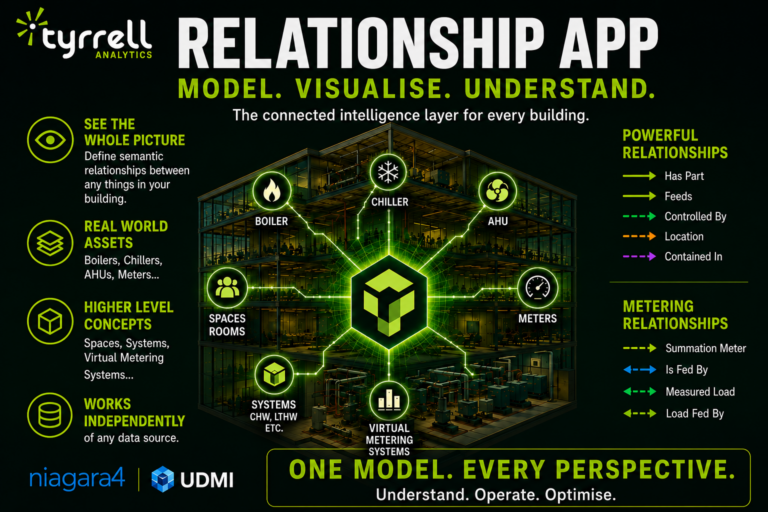
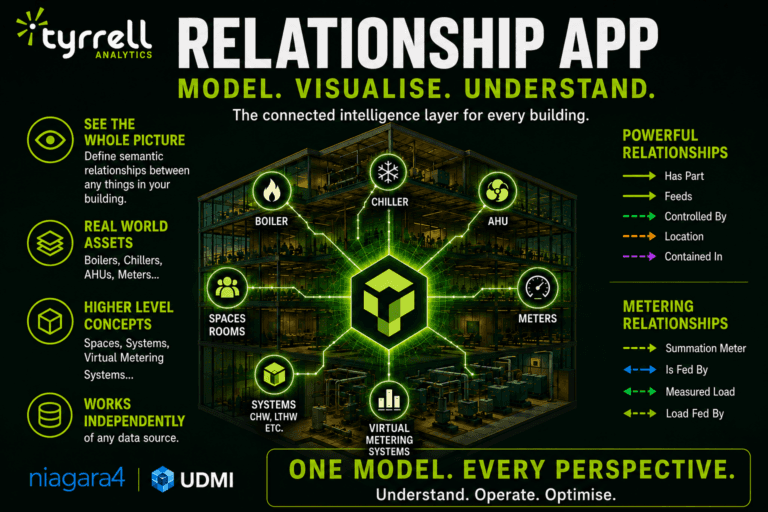
The Tyrrell Analytics Relationship App is a standalone application within the Tyrrell Analytics suite of tools. It is designed to define and build semantic relationship models between different “things” in a building.
In a building environment, these “things” can include real-world assets such as boilers, chillers, air handling units, and meters. They can also include higher-level concepts that are not physical assets, such as rooms, spaces, building systems, and virtual metering systems.
Understanding Relationships Between Building Items
Buildings are made up of many connected assets, systems, spaces, and meters. The Relationship App provides a structured way to define how these items relate to one another.
For example, a system may contain several components. A space may be connected to different assets. A meter may be linked to a measured load. These relationships help create a clearer model of how different parts of the building are connected.
The app supports relationship definitions including:
- Has Part
- Feeds
- Controlled By
- Location
- Contained In
It also supports metering-specific relationships including:
- Summation Meter
- Is Fed By
- Measured Load
- Load Fed By
Independent from Niagara 4 and UDMI Data Streams
The Relationship App works independently of any assets or data that Tyrrell Analytics receives from Tridium Niagara 4 stations or UDMI data streams.
This allows relationship models to be defined and managed separately from those data sources.
Managing and Visualising Defined Relationships
Once relationships are defined, they can be managed and visualised within the system. This helps operators understand the relationships between items within the building space.
Defined assets can be visualised in different ways, including:
Structured Diagram View
The Structured Diagram View provides a visual representation of an asset and its association with other defined items in the system. It also includes a table-style description of the asset.
Hierarchical Tree View
The Hierarchical Tree View shows relationships in a structured format, helping users understand how assets and related items are arranged.
Classic Graph View
The Classic Graph View provides a graph-based visualisation of connected items within the relationship model. The uploaded visual refers to this as Classic Graph View.
Bulk Import and Export
The Relationship App allows bulk import and export of configuration using CSV. This supports faster population and editing of the system, especially when managing larger sets of relationship data.
Openly Accessible Database
The configured relationship data is stored in an openly accessible database. This allows third-party systems to access the configured data when required.
High-Level Overview of Defined Relationships
The Relationship Manager view provides a high-level overview of all defined relationships. This gives users a central place to review relationship data and understand how different assets, systems, spaces, and meters are connected within the building model.